Map Toolbar & Controls
There is a small toolbar on the right side of the screen.
- '+' and '-' buttons are for zooming in and out
- third button from the top resets your bearing
- location marker button shows your approximate location on the map
- trash can icon clears the layer query click pin from the map
- bottom-most button resets the map view to default extent
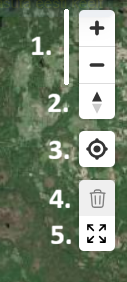 Toolbar controls.